I’ve been using Honeygain on my Android phone since 2021, here in France. In that time, I’ve cashed out four times, through PayPal and through JumpTask, and I’ve earned over $100 in total.
That’s not life-changing money. But it’s real money, from an app that runs in the background while I live my life.
In this Honeygain review, I’ll show you my real payout history, how much I earn now, what I like, what annoys me, and whether I think it’s worth installing on your phone.
My quick verdict: Honeygain is legit, and it really pays. Right now I earn around $20 a month in France. It won’t replace a salary, but it’s an easy way to make some extra cash from internet you’re not using.
Honeygain at a glance
| What it is | An app that pays you for sharing your unused internet |
| Cost | Free |
| Minimum payout | $20 |
| Payout methods | PayPal or JumpTask (gift cards, crypto, PayPal) |
| Devices | Android, Windows, macOS, Linux and more |
| My earnings | About $20/month, over $100 in total |
| Using it since | 2021 |
What Is Honeygain?
Honeygain is an app that pays you for sharing a small part of your internet connection.
Businesses use this shared internet for things like market research and checking how websites look in different countries. Instead of building their own networks, they use connections from regular people like you and me, and Honeygain pays us for it.
You don’t need to click anything, answer surveys, or watch ads. You install the app, leave it running, and it earns in the background.
How I Use Honeygain
I run Honeygain on my Android phone:
- At home, it runs on my Wi-Fi.
- When I’m outside, it runs on my mobile data.
I basically leave it on all the time and forget about it. Every few weeks, I open the app to check my balance.
How Much I Earn With Honeygain (My Real Results)
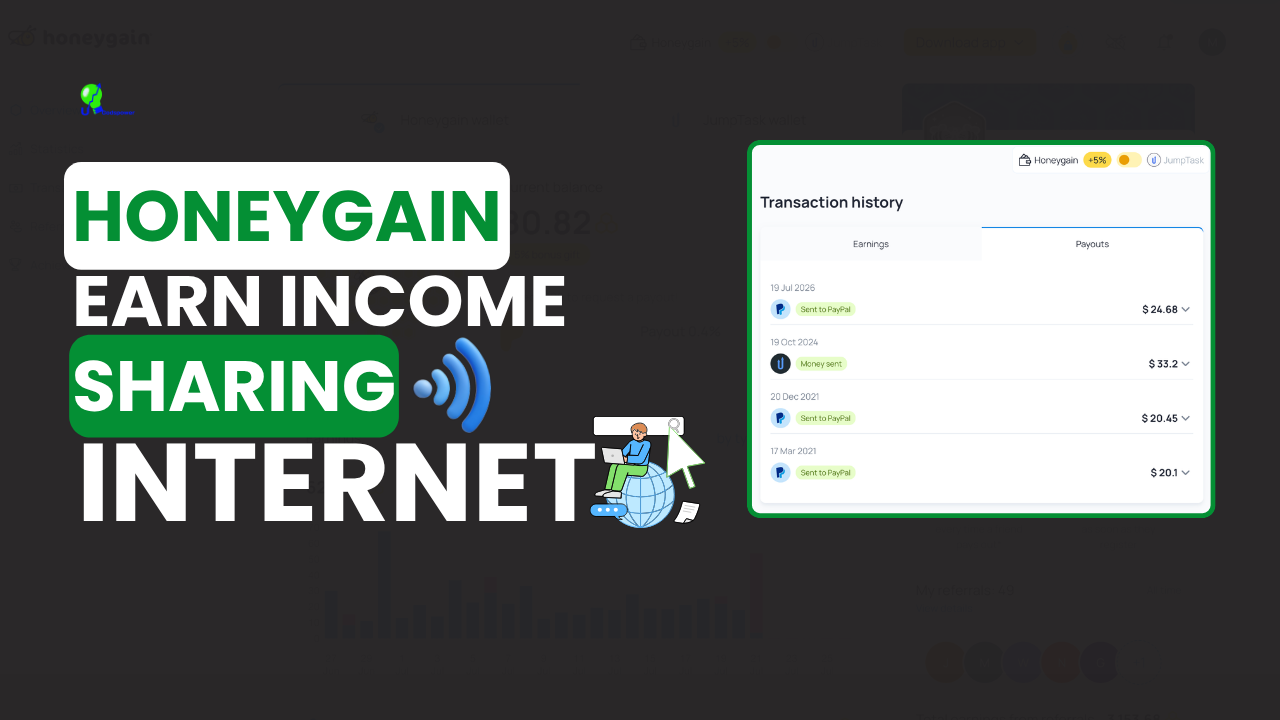
Here’s my real payout history:
| Date | Amount | Method |
|---|---|---|
| March 17, 2021 | $20.10 | PayPal |
| December 20, 2021 | $20.45 | PayPal |
| October 19, 2024 | $33.20 | JumpTask (converted to crypto) |
| July 19, 2026 | $24.68 | PayPal |
| Total cashed out | $98.43 |
With my current balance, I’ve earned over $100 with Honeygain in total.
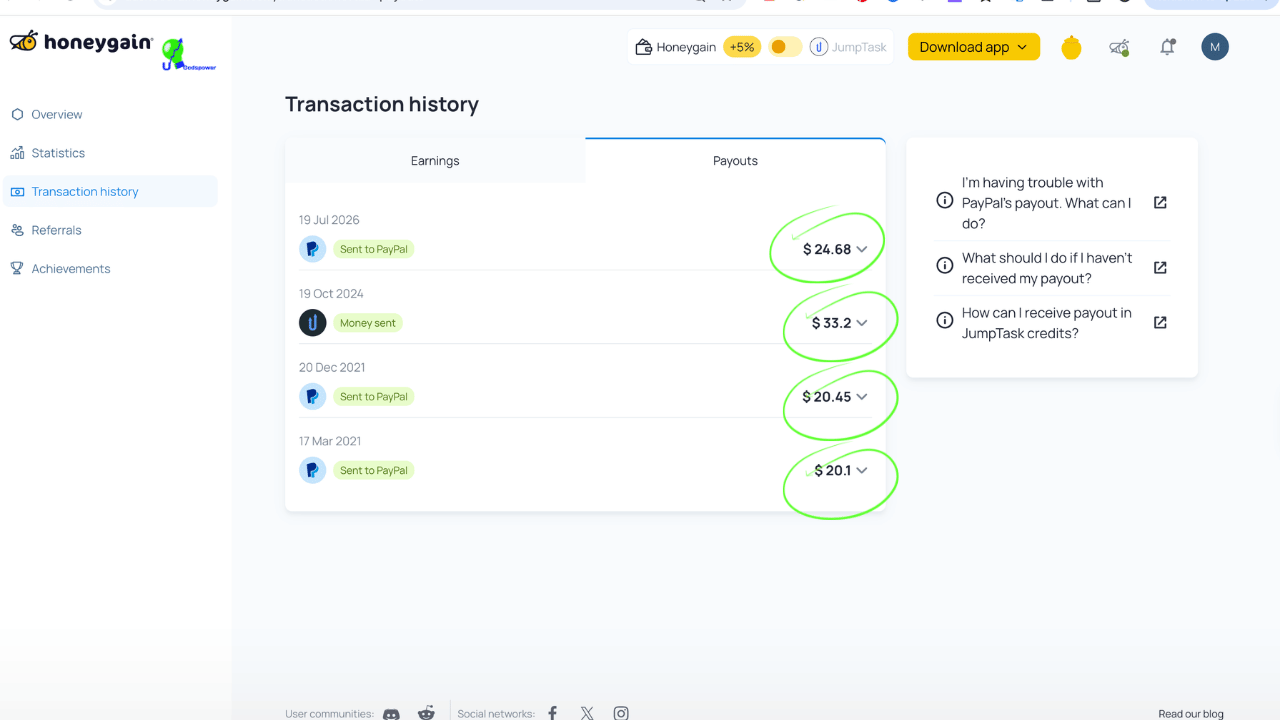
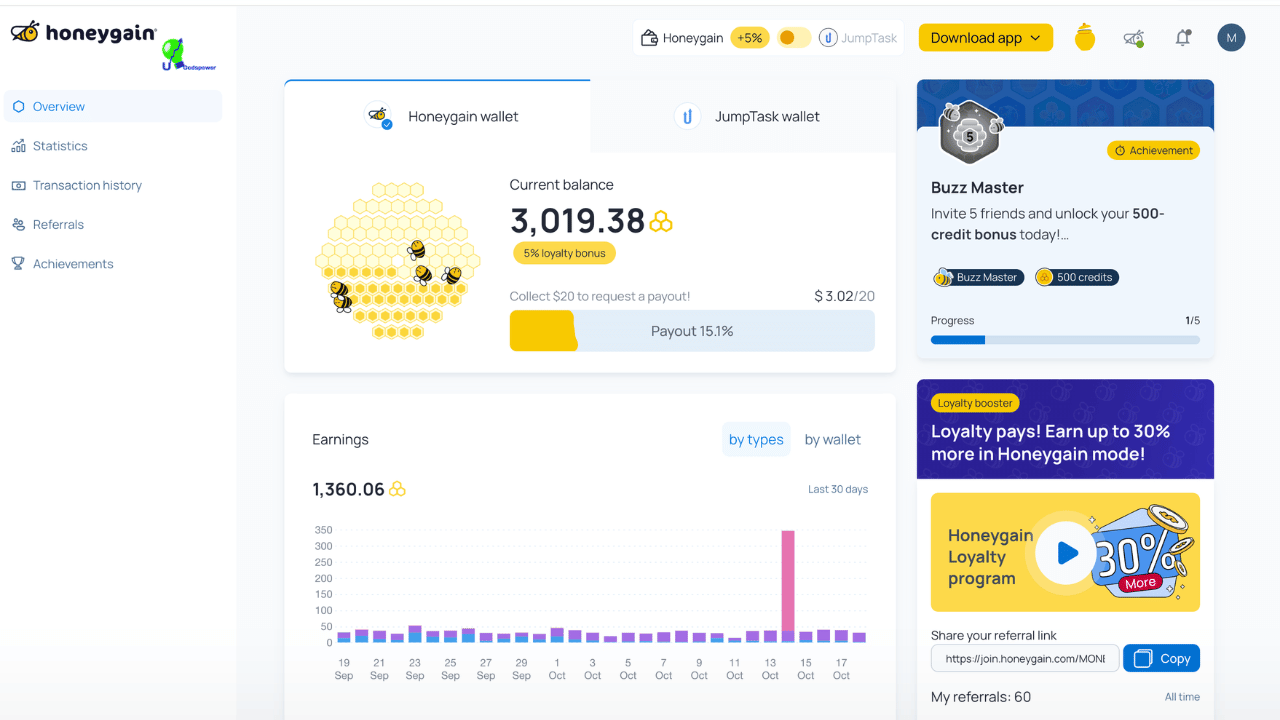
Right now, in France, I reach about $20 in roughly one month. But my earnings haven’t always been the same. They go up and down depending on demand, and I don’t cash out every time I hit $20. I often let my balance grow first (more on why below).
What affects how much you earn:
- Your country. Demand for internet traffic is higher in some countries than others.
- How long the app runs. The more hours it’s on, the more it can earn.
- Your connection. Wi-Fi and mobile data both work.
- Demand at the time. Some months simply pay more than others.
So please don’t expect exactly my results. You could earn more or less.
How to Get Paid From Honeygain
Honeygain shows your earnings in credits: 1,000 credits = $1. Once you reach 20,000 credits ($20), the payout button unlocks.
You can choose between two payout methods:
1. PayPal. The money goes straight to your PayPal account in US dollars. I’ve used this three times.
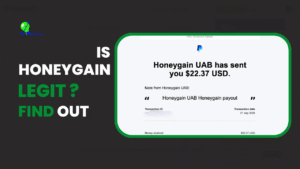
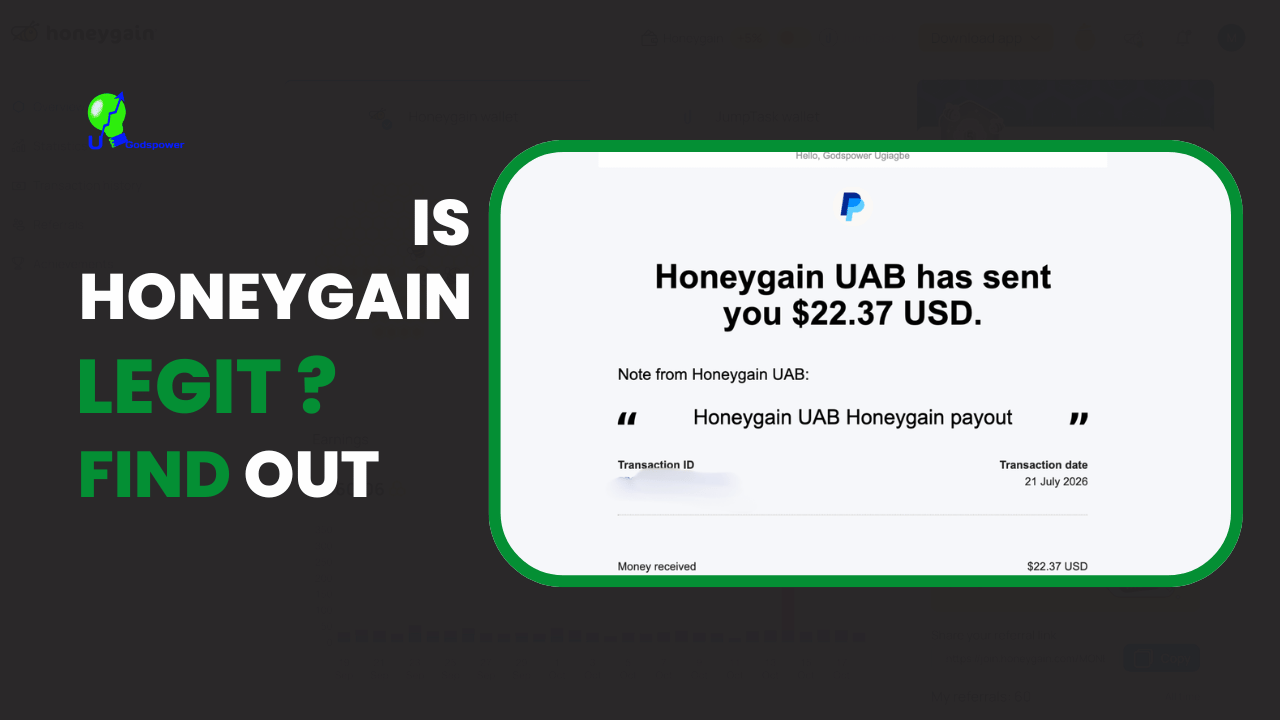
One thing to know: the amount that reaches your PayPal can be lower than your Honeygain payout. My July 2026 payout was $24.68 in Honeygain, but PayPal shows I received $22.37. In my case, the $2.31 difference was taken as tax and fees before the money reached me. So expect to receive a little less than your Honeygain balance.
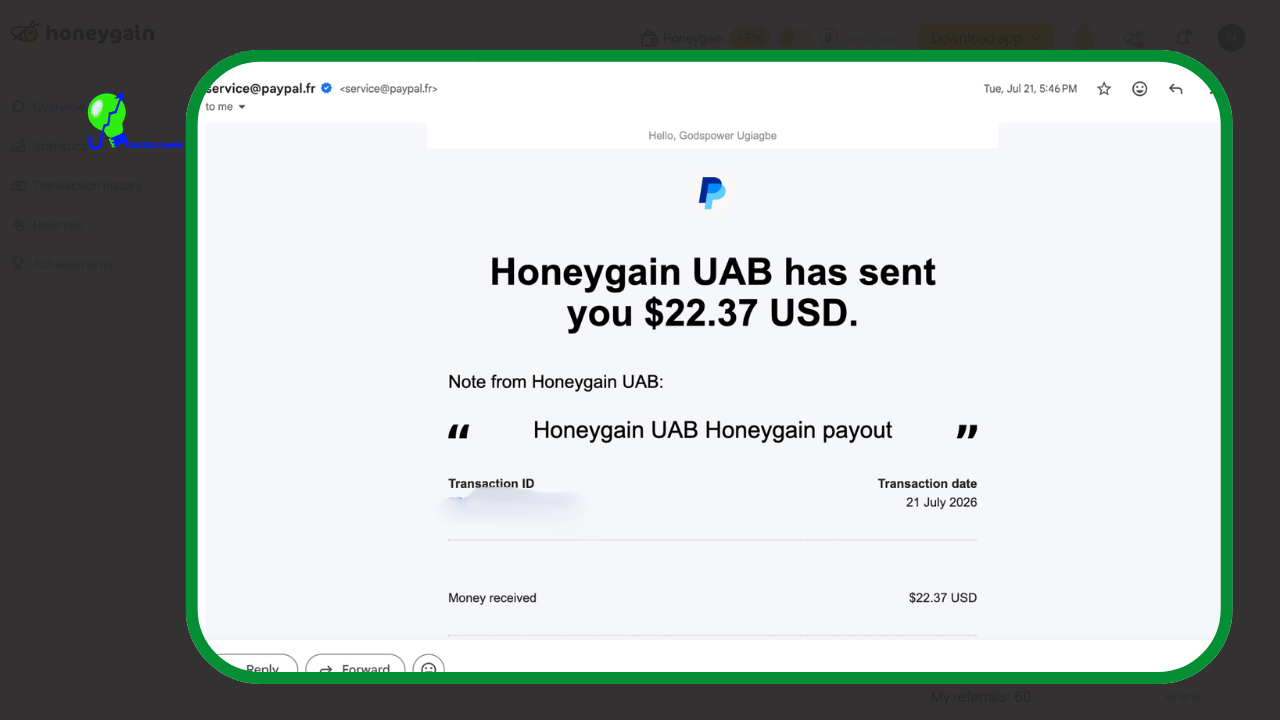
2. JumpTask. You send your earnings to JumpTask, Honeygain’s partner app, and cash out from there. I used this once, in October 2024, and turned my payout into crypto. JumpTask updated its system in 2026: it now offers gift cards, crypto, and PayPal through a payout partner, so check the current options in the app before you choose.
Payouts usually arrive within 2 to 3 business days after you request them. Mine always arrived.
My tip to save on fees: Don’t rush to cash out the moment you reach $20. Every payout loses a bit to tax and fees, like the $2.31 I lost on my July 2026 payout. I usually let my balance grow before requesting a payout, so fewer payouts mean less money lost along the way.
How to Start Using Honeygain (Step by Step)
1. Download it from the official website. Honeygain is not on the Google Play Store. Honeygain says Google removed the app by mistake, and it’s now available from its official website and other Android app stores. Only download it from the official site to avoid fake copies.
2. Create your free account. You can sign up through my link: Join Honeygain
3. Install the app and leave it running. Allow it to run in the background on your phone so it keeps earning when the screen is off.
4. Turn on the bonus mode. In the app, you can choose Honeygain mode, which adds a 5% bonus to your earnings.
5. Open the Lucky Pot every day. If your phone shares at least 1 MB of traffic that day, you can open the Lucky Pot once per day for a chance to win extra credits.
6. Request your payout at $20. Or wait a bit longer to save on fees, as I do.
So this is one complete guide tutorial about the Honeygain app that show step by step guide on how you can go about using this app, Honeygain. What you need to do is watch the full video, and what I want you to understand is that this video is for education purposely.
Tips to Earn More With Honeygain
- Keep it running as much as possible. Time is the biggest factor.
- Use mobile data if your plan allows it. Honeygain itself suggests mobile connections to increase earnings. Only do this if you have a big or unlimited data plan.
- Use more than one device. Honeygain recommends running devices on different connections (different IP addresses).
- Open the Lucky Pot daily. Small, but it adds up.
- Invite friends. You can earn up to $5 for each friend who reaches 20,000 credits.
What I Don’t Like About Honeygain (Honest Cons)
It uses battery. This is my biggest complaint. Running all day in the background, Honeygain drains my phone’s battery faster. If your battery is old, you’ll notice it.
It uses mobile data. When I’m outside, it shares my mobile data. If you have a limited data plan, this can eat your data or cost you money. Check your plan first, or set it to Wi-Fi only.
It’s slow money. About $20 a month is nice extra cash, but it’s not a real income. If you need money fast, this isn’t the right app.
It’s not on Google Play. Installing from a website feels less simple than tapping “Install” in the Play Store, especially for beginners.
Is Honeygain Safe and Legit?
Is it legit? Yes. I’ve been paid four times since 2021, through PayPal and JumpTask. That’s real proof, not a promise.
Is it safe? You should understand what you’re sharing. Honeygain lets its business clients use your internet connection, so their traffic goes through your IP address. Honeygain says it checks its clients, but it’s still your connection. Two things I recommend:
- Check your internet provider’s terms. Some providers don’t allow sharing your connection.
- Only download the app from the official Honeygain website.
If you’re not comfortable sharing your connection, Honeygain isn’t for you, and that’s completely fine.
Honeygain Pros and Cons
Pros
- ✅ Completely passive: install it and forget it
- ✅ Free to use
- ✅ Pays via PayPal or JumpTask
- ✅ Works on Wi-Fi and mobile data
- ✅ I’ve been paid every time since 2021
Cons
- ❌ Drains battery on phones
- ❌ Uses mobile data
- ❌ Earnings are small and vary month to month
- ❌ Not available on Google Play
- ❌ Your connection is used by other businesses
Who Should Use Honeygain?
I recommend Honeygain to anyone who wants to earn some extra cash online without much effort. It’s a good fit if you:
- Have Wi-Fi at home or an unlimited data plan
- Want a small passive income on the side
- Are patient enough to wait about a month for a payout
It’s not a good fit if you:
- Need real income quickly
- Have a limited mobile data plan
- Aren’t comfortable sharing your internet connection
Honeygain Alternatives
If you want to earn more alongside Honeygain, these are platforms I’ve used myself:
- Respondent.io: paid research studies that pay much more per task, but need more effort
- Paidviewpoint: short paid surveys
- 15 legit apps that pay you real money: my full list
Honeygain FAQ
Is Honeygain legit? Yes. I’ve used it since 2021 and received four payouts through PayPal and JumpTask, totaling $98.43.
How much can you earn with Honeygain per month? It depends on your country, connection, and how long the app runs. In France, I currently earn about $20 a month.
What is the minimum payout on Honeygain? $20, which equals 20,000 credits. You can cash out through PayPal or JumpTask.
Do you receive the full amount on PayPal? Not always. My July 2026 payout was $24.68 in Honeygain, but I received $22.37 in PayPal because $2.31 was taken as tax and fees.
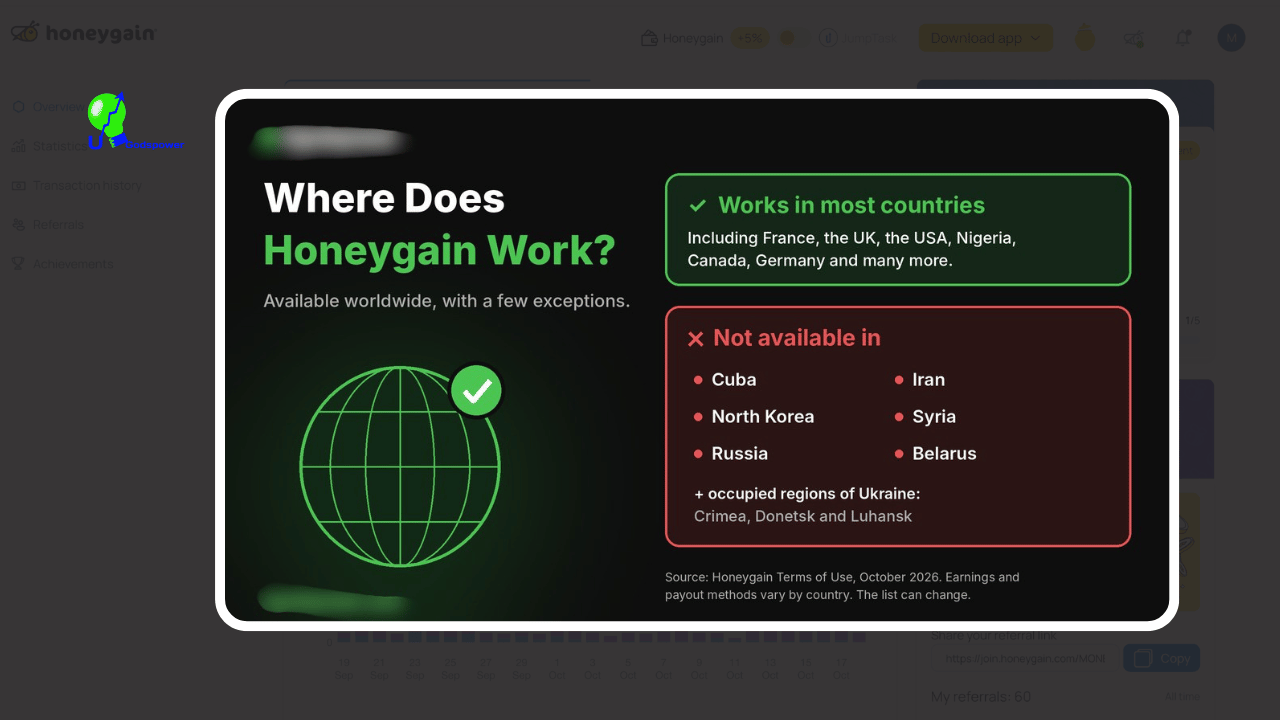
Does Honeygain work in France? Yes. I use it in France on both Wi-Fi and mobile data.
Does Honeygain drain your battery? Yes, on phones it does use extra battery because it runs in the background all the time. In my experience, it’s the biggest downside.
Why is Honeygain not on Google Play? Honeygain says Google removed the app by mistake. You can download it from Honeygain’s official website instead.
Can I use Honeygain on mobile data? Yes, but it uses your data allowance. Only do it if you have a large or unlimited data plan.
Honeygain Reviews
This my Honeygain review tips to you, my readers, about Honeygain: when you are using it, just use it for fun. Don’t take it too seriously because it is not a way to make real money online. This is just one easy step to make sure you earn some extra cash online, and it is not a get-rich-quick system, and you can use it almost anywhere in the world.
Final Thoughts on Honeygain Review
After using Honeygain since 2021, I can say it’s a real, legit way to earn a little extra money online. It’s not exciting, and it won’t make you rich, but it pays, and it asks almost nothing from you.
If you have good Wi-Fi at home and you’re okay with some battery use, it’s worth trying.
Have you tried Honeygain? Tell me how much you earn in the comments. I’d love to compare results from different countries.